
Managing your team
Administrators, team analytics and all of your organisation’s leads.
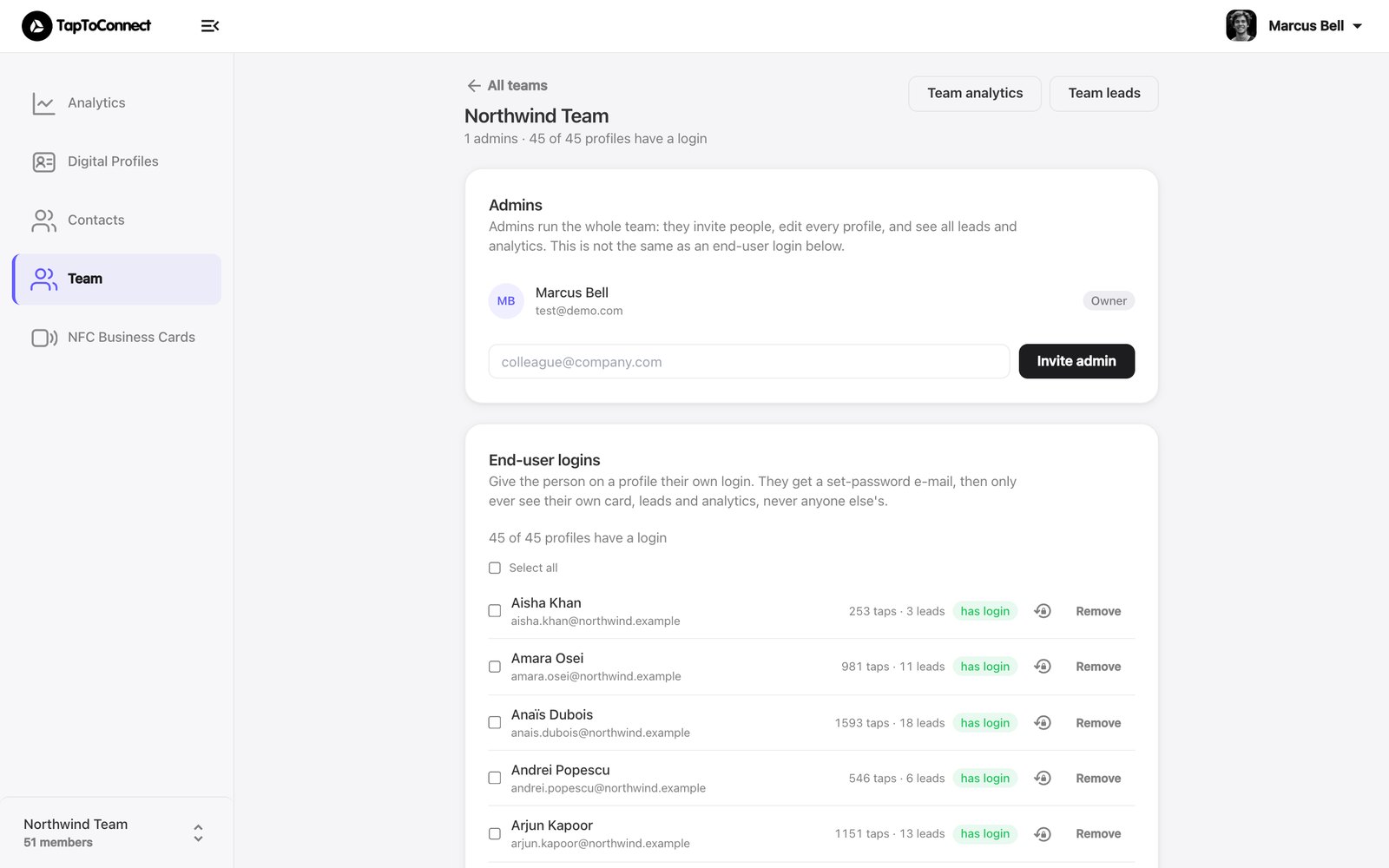
With a team you manage all your colleagues' profiles and cards in one place.
- Go to Team in the sidebar.
- Click Open next to your team.
Administrators
Administrators (Admins) run the whole team: they edit every profile and see all leads and analytics. Invite an administrator by entering an email address and clicking Invite admin.
Team numbers and leads
- Team analytics shows the analytics of all profiles together.
- Team leads shows every contact that came in through your team's profiles.
Switching between team and personal space
In the sidebar you switch between your team and your own space (Personal space). What you see under Digital Profiles, Contacts and NFC Business Cards belongs to the space you selected.