
Changing the appearance
Background, colours, buttons and font in your own house style.
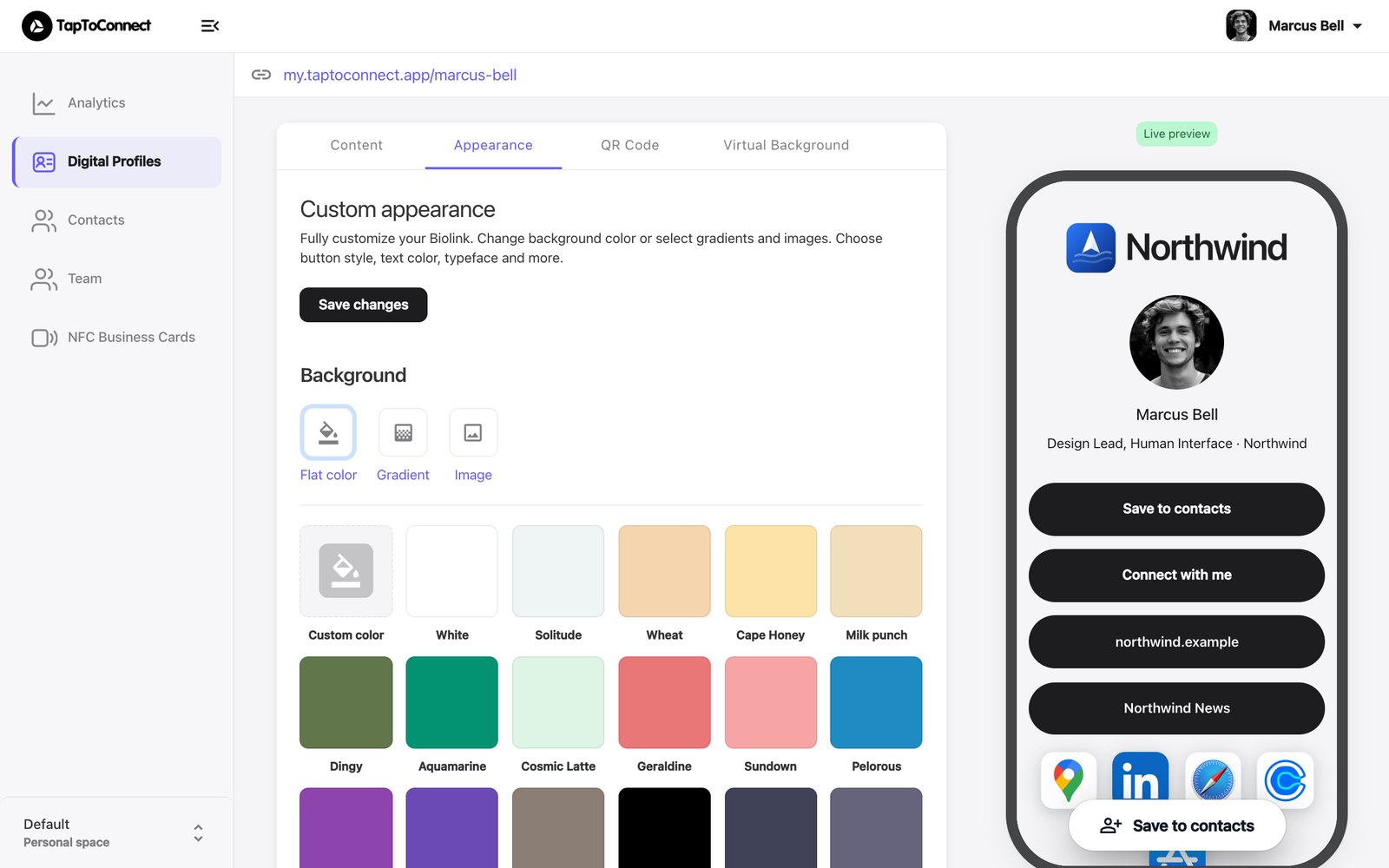
Open your profile in the editor and go to the Appearance tab.
- Background: choose a solid colour (Flat color), a gradient (Gradient) or your own image (Image). Use Custom color to enter your own colour code.
- Colors: the colour of the text (Text color), the buttons (Button color) and the text on the buttons (Button text color).
- Buttons: filled buttons (Fill) or outlined ones (Outline), with square, rounded or pill-shaped corners.
- Font: choose from hundreds of fonts.
Click Save changes. The result shows on the right straight away.
Working in a team with a fixed house style? Your administrator may have locked the appearance. You then see Your team controls the look of this profile.